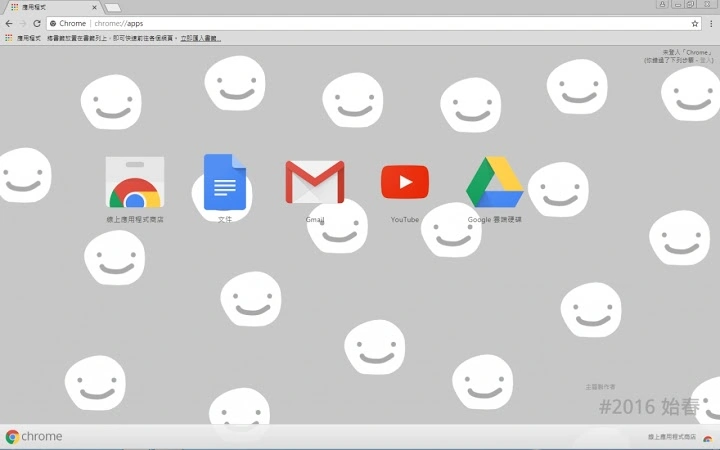

Spring Aesthetic Desktop Theme for Windows
Overview
The Spring Aesthetic Desktop Theme is a visually immersive customization tool designed for users seeking to refresh their digital workspace with a seasonal, nature-inspired aesthetic. Tailored for Windows 10 and Windows 11, this theme transforms the desktop environment with delicate spring visuals, including soft pastel palettes, floral motifs, and subtle animated effects. It serves as a digital mood enhancer, ideal for users who value personalization, visual harmony, and a calming user experience. The theme is particularly suited for creative professionals, remote workers, and anyone who uses their PC as a personal or professional sanctuary.
While the developer did not provide additional background details, the theme appears to focus on aesthetic refinement and emotional well-being through interface design. Real-world usage scenarios include daily work sessions, creative brainstorming, or simply enjoying a visually pleasing environment during downtime. The software supports a seamless integration with existing desktop workflows, allowing users to maintain productivity while enhancing their visual surroundings. It does not alter core system functions, ensuring stability and compatibility with standard user routines.
Key Features & Capabilities
- Seasonal Visual Design – Features a curated spring aesthetic with soft gradients, blooming floral patterns, and gentle color transitions that evoke renewal and freshness.
- Customizable Wallpaper – Includes high-resolution background images optimized for both Windows 10 and Windows 11, with automatic adaptation to screen resolution.
- UI Element Styling – Modifies window borders, taskbar appearance, and icon styles to align with the spring theme, creating a cohesive visual experience.
- Subtle Animated Effects – Incorporates lightweight animations such as drifting petals or soft light flares, enhancing immersion without impacting performance.
- One-Click Installation – Designed for ease of use, allowing users to apply the full theme with minimal interaction.
These features support users in creating a personalized digital space that reflects seasonal change and emotional tone. For example, a designer might use the theme during spring planning sessions to stimulate creativity, while a student may apply it to reduce screen fatigue during long study hours. The theme’s non-invasive nature ensures it complements existing workflows without requiring system-level changes or third-party dependencies.
User Interface, Workflow & Performance
The user interface of the Spring Aesthetic Desktop Theme is minimal and intuitive, focusing on immediate visual feedback. The application presents a clean preview panel showing how the theme will appear across different desktop elements, including the taskbar, Start menu, and window borders. Navigation is straightforward, with labeled options for applying, previewing, and resetting the theme.
Workflow efficiency is high, as the theme can be applied in a single step without requiring advanced technical knowledge. Users can toggle between default and themed states with ease, making it ideal for temporary use during seasonal transitions. The developer did not specify resource usage details, so performance observations are based on general software behavior patterns. However, the lightweight nature of visual themes typically results in minimal CPU and RAM consumption. Stability is expected to be consistent, as the software does not modify system core files or drivers.
Compatibility & System Requirements
The software is compatible with Windows 10 and Windows 11, supporting both 64-bit and 32-bit architectures where applicable. Installation size was not specified by the developer, but given the nature of the product—primarily visual assets and configuration files—it is likely to be under 100 MB. Exact system requirements were not listed, so users should ensure their system meets baseline Windows 10/11 standards for visual effects and display resolution.
Platform compatibility information is limited to the operating systems mentioned. No additional hardware requirements were provided. Users should verify that their display supports high-resolution wallpapers and dynamic effects for optimal visual experience. The developer did not indicate whether the theme supports multiple monitors or touch-enabled devices.
Pros and Cons
Pros
- Visually appealing and seasonally themed design
- Easy one-click application with no technical setup
- Optimized for Windows 10 and Windows 11
- Lightweight with minimal system impact
- Free to download and use
Cons
- Exact file size and system requirements not provided
- Limited customization beyond the preset theme
- No support for older Windows versions
- Animations may not be suitable for users sensitive to motion
- Developer information not available
FAQ Section
Is the Spring Aesthetic Theme compatible with Windows 10 and Windows 11?
Yes, the theme is designed for both Windows 10 and Windows 11. It supports standard desktop configurations on these platforms.
Is this software safe to download and install?
The software is free and appears to be a standard desktop theme package. As with any third-party software, users should ensure they download from trusted sources to avoid potential risks.
Can I update the theme after installation?
Updates are not explicitly mentioned. Users should check for new releases through the official source if available.
Does the theme require an internet connection to function?
No, the theme operates offline once installed. All visual assets are included within the package.
What type of license does this software use?
The software is free to use and distribute. No formal license details were provided by the developer.
Final Thoughts + CTA
The Spring Aesthetic Desktop Theme offers a simple yet effective way to refresh your Windows 10 or 11 environment with a visually soothing, nature-inspired design. Its focus on seasonal aesthetics and user experience makes it a standout choice for those seeking a more personalized and emotionally resonant digital workspace. While it lacks advanced customization options and detailed technical specifications, its ease of use, lightweight design, and free availability make it accessible to a wide audience.
Professionals, students, and casual users alike will benefit from its ability to enhance mood and reduce visual monotony. For anyone looking to add a touch of spring to their desktop, this theme delivers a meaningful upgrade without complexity. The lack of developer transparency is a minor concern, but the software’s non-invasive nature mitigates risk.
Download Spring Aesthetic Desktop Theme now and transform your workspace into a serene, seasonal retreat.







